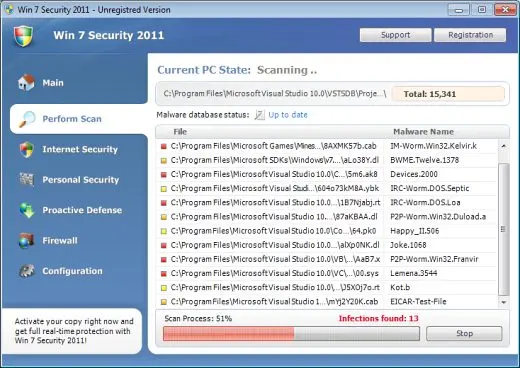
Registry Defender Platinum description
Registry Defender Platinum is the best way to waste your money and it’s the best program to deliver annoying pop-ups on your screen. RegistryDefenderPlatinum a.k.a. Registry Defender Platinum v.5 is a rogue system optimization tool.

Although RegistryDefender Platinum is presented as registry repair app, it is not capable of functioning in that way. The purpose of this program is tricking people into paying $29.95 for nonexistent services. Registry DefenderPlatinum v5 is usually installed secretly by trojans such as Zlob and Vundo.
Click here to remove Zlob trojan.
Click here to remove Vundo trojan.
Registry Defender Platinum fabricates system error alerts and similar pop-ups. The strategy is supposed to push people into buying the program for fixing the imaginary errors. RegistryDefenderPlatinum may hijack a web browser and it may crash a computer.
Get rid of Registry Defender Platinum
- Manual step-by-step Registry Defender Platinum removal
- Automatic easy Registry Defender Platinum detection with Spyware Doctor
- Anti spyware Software. Spyware Doctor Review.
Registry Defender Platinum is a Rogue Antispyware software
How to manually remove Registry Defender Platinum
To remove Registry Defender Platinum spyware you must block Registry Defender Platinum sites, stop and remove processes, unregister DLL files, search and delete all other Registry Defender Platinum files and registry utility. Follow the Registry Defender Platinum detection and removal instructions below.
The most typical software removal method is to remove Registry Defender Platinum by using “Add or Remove Programs” service. However there may be hidden Registry Defender Platinum files, running processes and registries in your computer, so Registry Defender Platinum may recreate all other files after reboot.
Registry Defender Platinum manual removal instructions
Block Registry Defender Platinum sites:
registrydefenderplatinum.com
registrydefender.com
registry-defender-platinum.software.informer.com Read more how to block Registry Defender Platinum sites
Stop and remove Registry Defender Platinum processes:
RDPlatinumv5.exe Read more how to kill Registry Defender Platinum processes
Locate and delete Registry Defender Platinum registry entries:
HKEY_CURRENT_USER\Software\Microsoft\Windows\CurrentVersion\Run “RegistryDefenderPlatinum”
HKEY_CURRENT_USER\Software\VB and VBA Program Settings\RD Platinum v5.0
HKEY_LOCAL_MACHINE\SOFTWARE\Microsoft\Windows\CurrentVersion\Uninstall\{B26CAA68-6EBF-4A30-A0F0-0A0BFE3DA5DD} Read more how to delete Registry Defender Platinum registry entries
Download RegistryBooster 2010 to scan errors caused by Registry Defender Platinum
Detect and delete other Registry Defender Platinum files:
c:\Program Files\Angle Interactive\RD Platinum v5.0\Customer Support.url
c:\Program Files\Angle Interactive\RD Platinum v5.0\INSTALL.LOG
c:\Program Files\Angle Interactive\RD Platinum v5.0\install.sss
c:\Program Files\Angle Interactive\RD Platinum v5.0\RDPlatinumv5.exe
c:\Program Files\Angle Interactive\RD Platinum v5.0\RDPlatinumv5.exe.manifest
c:\Program Files\Angle Interactive\RD Platinum v5.0\Uninstall.exe
c:\Program Files\Angle Interactive\RD Platinum v5.0\Updater.exe
c:\Program Files\Angle Interactive\RD Platinum v5.0\User Guide.url
c:\Program Files\Angle Interactive\RD Platinum v5.0\repair-bar
c:\Program Files\Angle Interactive\RD Platinum v5.0\scan-bar-100
c:\Program Files\Angle Interactive\RD Platinum v5.0\scan-bar-pulse
We strongly recommend you to use spyware remover to track Registry Defender Platinum and automaticaly remove Registry Defender Platinum processes, registries and files as well as other spyware threats.