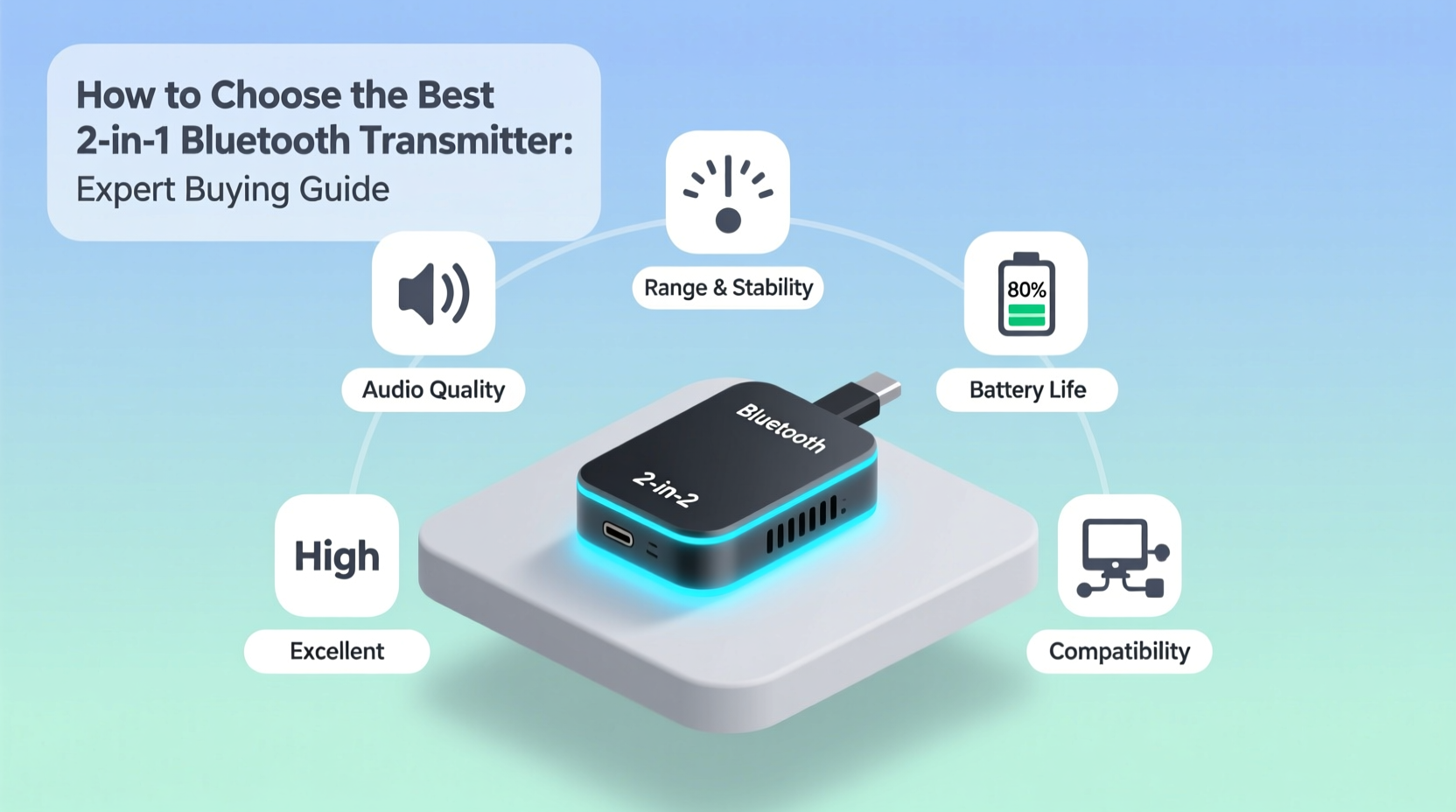
Wireless audio has become the standard for modern listening experiences. At the heart of this convenience is the Bluetooth transmitter—a small but powerful device that bridges the gap between older, non-wireless equipment and today’s Bluetooth headphones and speakers.
Whether you want to stream TV audio to wireless headphones without disturbing others, connect your gaming console to a wireless headset, or upgrade your car stereo without replacing the entire system, a Bluetooth transmitter makes it possible.
This guide explains everything you need to know: how these devices work, the different types available, what features matter most, and how to choose the right transmitter for your specific needs.
What Is a Bluetooth Transmitter?
A Bluetooth transmitter is a wireless device that converts wired audio signals into Bluetooth radio signals, allowing you to stream sound from non-Bluetooth sources to Bluetooth-enabled receivers like headphones, speakers, or hearing aids.
Think of it as a bridge: on one side, it connects to your TV, stereo, computer, or airplane entertainment system via cables (AUX, optical, RCA, or USB). On the other side, it broadcasts audio wirelessly to your Bluetooth devices.
The Bluetooth Special Interest Group (Bluetooth SIG) maintains universal standards across all certified devices, which means transmitters from one manufacturer typically work seamlessly with receivers from another brand—no proprietary restrictions.
Bluetooth Transmitter vs. Bluetooth Receiver: What’s the Difference?
Many people confuse these two devices:
- Bluetooth Transmitter: Sends audio FROM a non-Bluetooth source TO Bluetooth headphones/speakers
- Bluetooth Receiver: Receives audio FROM a Bluetooth device (like your phone) TO wired speakers or car stereos
Some devices function as both transmitter and receiver (called TX/RX mode), offering maximum flexibility.
How Does a Bluetooth Transmitter Work?
Bluetooth transmitters use short-range radio frequency technology in the 2.4 GHz ISM band to wirelessly send audio data. The process involves four key stages:
1. Audio Signal Capture
The transmitter receives analog or digital audio through connection ports:
- 3.5mm AUX cable
- Optical (TOSLINK) cable
- RCA connectors
- USB-C or micro USB ports
2. Digital Encoding
The incoming audio signal is compressed using a Bluetooth codec—essentially a file format optimized for wireless transmission. Common codecs include SBC (standard), AAC (Apple devices), aptX (low latency), and LDAC (high resolution).
3. Wireless Broadcasting
The encoded data transmits via radio waves on the 2.4 GHz frequency band to paired Bluetooth devices within range (typically 10-30 meters).
4. Signal Decoding and Playback
Your Bluetooth headphones or speakers decode the signal and convert it back to audible sound through their internal amplifiers and drivers.
This entire process happens in milliseconds, though the specific delay (latency) depends on the codec used and the quality of both transmitter and receiver.
Types of Bluetooth Transmitters Explained
Choosing the right type depends on where and how you plan to use it.
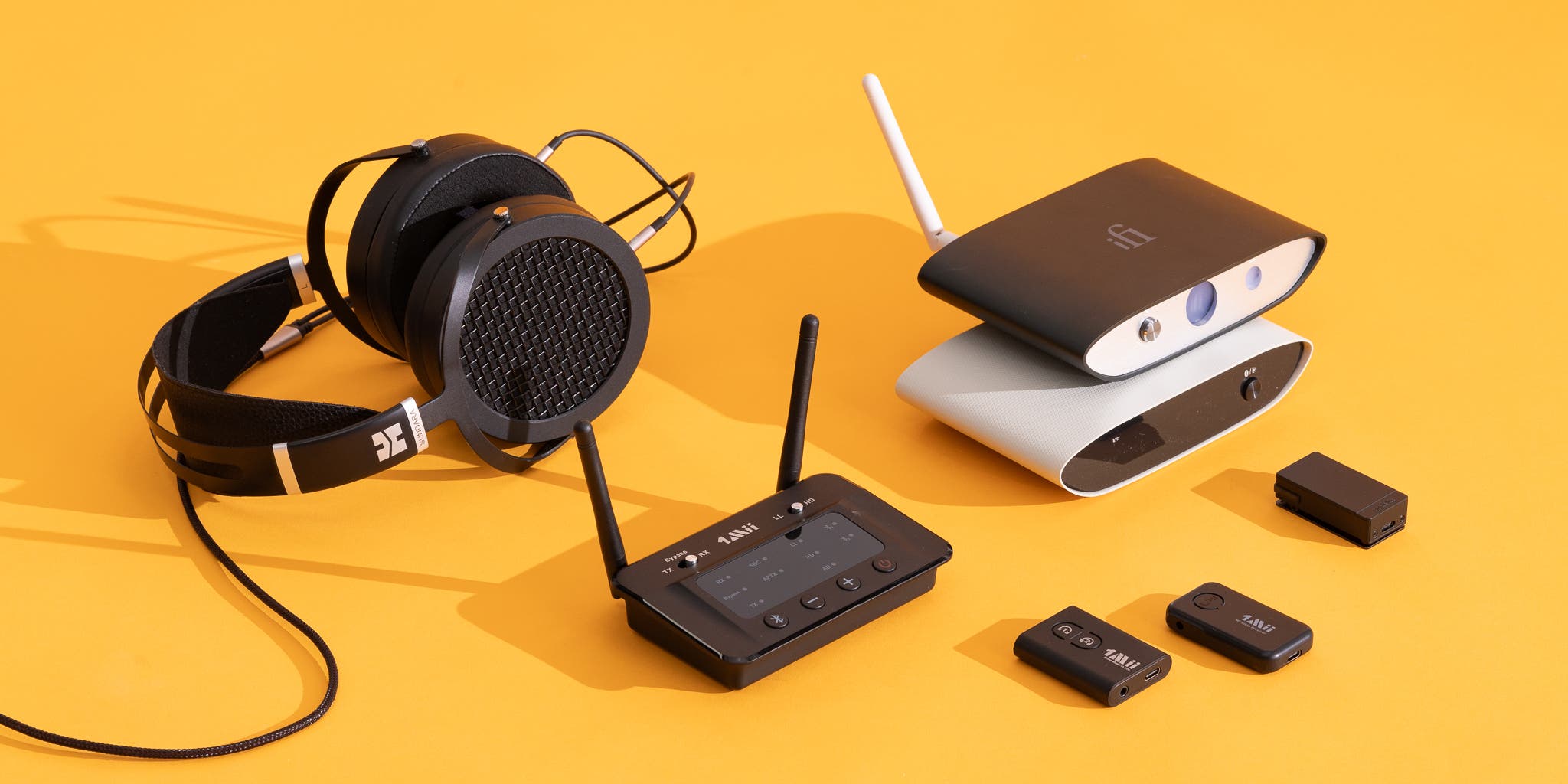
Standalone Audio Transmitters
These dedicated devices are designed specifically for home entertainment systems. They typically feature:
- Multiple input options (optical, AUX, RCA)
- AC power or USB power supply
- Physical buttons for pairing and volume
- LED indicators for connection status
Best for: TVs, stereo systems, gaming consoles, and home theater setups where the transmitter stays in one place.
USB Bluetooth Adapters
Compact dongles that plug directly into USB ports on computers, laptops, or gaming consoles. They’re about the size of a flash drive and draw power from the USB port itself.
Best for: Adding Bluetooth capability to desktop PCs, work laptops, or devices without built-in Bluetooth.
Portable Travel Transmitters
Battery-powered transmitters designed for mobility. They’re small enough to fit in your pocket and often include:
- Built-in rechargeable batteries (4-15 hours)
- 3.5mm AUX input
- Compact, lightweight design
- Clip or attachment for airplane seats
Best for: Frequent travelers who want to use Bluetooth headphones with airplane entertainment systems, hotel TVs, or gym equipment.
Car Bluetooth Transmitters (FM Transmitters)
These specialized devices plug into your car’s 12V outlet and broadcast audio over FM radio frequencies to your car stereo. While technically different from standard Bluetooth transmitters, they serve a similar purpose.
Best for: Older vehicles without Bluetooth capability or AUX input.
Built-In Bluetooth Transmitters
Modern smartphones, tablets, laptops, and smart TVs already include Bluetooth transmitter chips, eliminating the need for external accessories.
Essential Features to Consider When Buying
Not all Bluetooth transmitters are created equal. These features significantly impact performance and user experience.
Bluetooth Audio Codecs
The codec determines both sound quality and latency (audio delay). Here’s what you need to know:
| Codec | Latency | Sound Quality | Best For |
|---|---|---|---|
| SBC | High (~200ms) | Standard | Basic audio streaming |
| AAC | Medium (~100ms) | Good | Apple devices, casual listening |
| aptX | Low (~80ms) | Very Good | General purpose, balanced performance |
| aptX LL | Very Low (~40ms) | Good | Gaming, video watching |
| aptX HD | Low (~80ms) | Excellent | Music enthusiasts |
| LDAC | Medium (~100ms) | Exceptional | Audiophiles with compatible Sony devices |
Why it matters: If you’re watching videos or gaming, latency creates a frustrating delay between what you see and what you hear. Low-latency codecs like aptX LL solve this problem.
Transmission Range
Most Bluetooth transmitters advertise ranges between 10-30 meters (33-100 feet) in open spaces. Real-world performance varies based on:
- Wall materials and thickness
- Interference from Wi-Fi routers and microwaves
- Number of obstacles between transmitter and receiver
- Bluetooth version (5.0+ offers better range than 4.2)
For home use, 10 meters is typically sufficient. For larger spaces or outdoor use, look for Class 1 Bluetooth transmitters with extended range.
Bluetooth Version
Newer versions offer improvements:
- Bluetooth 4.2: Standard for most budget transmitters
- Bluetooth 5.0: Better range, faster connection, improved stability
- Bluetooth 5.2: Enhanced audio quality, lower power consumption
- Bluetooth 5.3: Further efficiency improvements
Higher versions are backward compatible, meaning a Bluetooth 5.0 transmitter works with Bluetooth 4.2 headphones.
Dual Audio / Multipoint Connectivity
Some transmitters support simultaneous connection to two sets of headphones, perfect for:
- Couples watching TV together
- Parents and children on airplane flights
- Shared music listening
This feature may be called “dual link,” “multipoint,” or “dual stream” depending on the manufacturer.
Battery Life (For Portable Models)
Rechargeable transmitters typically offer 6-15 hours of continuous use. Consider:
- How often you’ll use it
- Access to charging between uses
- Standby time when not actively transmitting
Pass-Through Audio
Premium transmitters include an audio pass-through port, allowing you to connect both wireless headphones AND wired speakers simultaneously without disconnecting cables.
Connection Inputs
Match the transmitter’s inputs to your source device:
- 3.5mm AUX: Universal compatibility, analog audio
- Optical (TOSLINK): Digital audio, best for TVs and gaming consoles
- RCA: Older stereos and audio equipment
- USB: Computers and some modern devices
Benefits of Using a Bluetooth Transmitter
Eliminate Cable Clutter
No more tangled headphone cables or trip hazards. Wireless freedom means you can move naturally around your space without physical tethers.
Upgrade Older Equipment Without Replacement
Instead of buying a new TV or stereo system with built-in Bluetooth, a $30-50 transmitter adds wireless capability to your existing setup—saving hundreds or thousands of dollars.
Watch TV Without Disturbing Others
Late-night viewing becomes guilt-free when you stream audio directly to your headphones. Perfect for:
- Different sleep schedules
- Apartments with thin walls
- Households with babies or light sleepers
Accessibility for Hearing Impaired
Bluetooth transmitters enable direct streaming to hearing aids and assistive listening devices, providing:
- Clearer dialogue at comfortable volumes
- Reduced background noise
- Personalized audio settings
Gaming With Wireless Headsets
Connect gaming consoles (PlayStation, Xbox, Nintendo Switch) to low-latency Bluetooth headphones for immersive gameplay without the restriction of wired headsets.
Travel Comfort and Convenience
Use your premium noise-canceling headphones with:
- Airplane entertainment systems
- Hotel room TVs
- Gym treadmill displays
- Rental car audio systems
Flexibility for Multi-Room Audio
Transmitters paired with Bluetooth speakers create wireless audio zones throughout your home without expensive whole-home audio installations.
Common Real-World Applications
Home Entertainment Systems
Connect your smart TV, cable box, or streaming device to wireless headphones or soundbars. This is especially valuable for:
- TVs without Bluetooth (most models before 2018)
- Improving dialogue clarity over built-in TV speakers
- Creating personal listening zones in shared spaces
Major brands like Sony, Samsung, and LG now recommend Bluetooth transmitters for older TV models in their support documentation.
Gaming Setups
Competitive gamers require minimal audio delay. Low-latency transmitters paired with aptX LL headphones provide:
- Real-time audio feedback
- Directional sound cues
- Clear voice chat without wires
Aviation and Travel
The Transportation Security Administration (TSA) allows Bluetooth transmitters in carry-on luggage. Frequent flyers use them to:
- Connect AirPods or Bose headphones to seatback screens
- Avoid uncomfortable airline-provided earbuds
- Maintain consistent audio quality across different aircraft
Automotive Audio
While modern cars include Bluetooth, vehicles manufactured before 2010 typically don’t. Bluetooth transmitters offer:
- Hands-free calling capability
- Music streaming from smartphones
- GPS navigation audio
Fitness Centers
Many gym equipment screens have AUX outputs but no Bluetooth. A portable transmitter lets you use wireless earbuds while running on treadmills or cycling on stationary bikes.
Professional and Workplace Use
Business applications include:
- Wireless audio monitoring for video production
- Conference room presentations
- Assistive listening for accessibility compliance
- Audio testing and quality control
Limitations and Potential Issues
Understanding these constraints helps set realistic expectations and choose appropriate solutions.
Audio Latency (Lip Sync Delay)
The most common complaint involves audio lag—when sound doesn’t match on-screen action. This is particularly noticeable when:
- Watching dialogue-heavy content
- Gaming with timing-critical audio cues
- Viewing sports with fast action
Solution: Choose transmitters and headphones that both support aptX Low Latency codec (aptX LL), which reduces delay to imperceptible levels (~40ms).
Wireless Interference
Bluetooth shares the 2.4 GHz frequency band with:
- Wi-Fi routers
- Microwave ovens
- Cordless phones
- Baby monitors
- Other Bluetooth devices
This congestion can cause:
- Intermittent audio dropouts
- Reduced connection range
- Difficulty pairing
Solution: Position transmitters away from Wi-Fi routers, use Bluetooth 5.0+ for better interference resistance, and consider dual-band Wi-Fi routers (5 GHz).
Audio Quality Compression
Bluetooth codecs compress audio data to transmit wirelessly, which can reduce sound quality compared to wired connections. The degree of compression varies:
- SBC codec: Noticeable quality loss
- aptX HD / LDAC: Minimal quality loss, near-CD quality
- Wired connection: Zero compression, maximum fidelity
For most users: The convenience outweighs the minor quality difference. Audiophiles seeking absolute fidelity should stick with wired connections or high-end codecs like LDAC.
Battery Management for Portable Units
Rechargeable transmitters require planning:
- Charging before travel
- Carrying USB cables
- Potential mid-flight battery depletion
Solution: Choose models with 10+ hour battery life, or use AC-powered transmitters for home applications.
Pairing Complexity
Some users find initial Bluetooth pairing confusing, especially when:
- Multiple devices are nearby
- Previous pairings interfere
- Devices require specific pairing sequences
Solution: Follow manufacturer instructions carefully, clear old pairings when troubleshooting, and look for transmitters with one-button pairing.
How to Choose the Right Bluetooth Transmitter
Follow this decision framework based on your primary use case:
For TV Watching:
- Optical or AUX input compatibility
- aptX Low Latency support
- AC-powered (no battery charging needed)
- Dual audio for watching with others
Recommended specs: Bluetooth 5.0, optical + AUX input, aptX LL codec
For Gaming:
- Ultra-low latency (<40ms)
- aptX LL or aptX Adaptive codec
- Stable connection without dropouts
- Compatible with console audio output
Recommended specs: Bluetooth 5.0+, optical input, aptX LL mandatory
For Travel:
- Compact, pocket-sized design
- 8+ hour battery life
- 3.5mm AUX input (universal airplane compatibility)
- USB-C charging
Recommended specs: Lightweight (<50g), Bluetooth 5.0, 10+ hour battery
For Car Audio:
- FM transmission or AUX output
- Hands-free calling capability
- USB charging port
- Easy controls while driving
Recommended specs: Dual USB ports, noise cancellation, CVC technology
For Home Stereo:
- Multiple input options
- High-quality codec support (aptX HD or LDAC)
- AC power supply
- Pass-through audio
Recommended specs: Optical + RCA + AUX inputs, aptX HD, solid build quality
Best Practices for Optimal Performance
Placement and Positioning
- Keep transmitter and receiver within 10 meters for best results
- Minimize obstacles (walls, furniture, metal objects) between devices
- Elevate the transmitter off the floor
- Avoid placing near Wi-Fi routers or microwaves
Pairing and Connection
- Fully charge portable transmitters before first use
- Clear old Bluetooth pairings if experiencing connection issues
- Pair devices within 1 meter during initial setup
- Update firmware when manufacturers release updates
Codec Optimization
- Match codec support between transmitter and receiver
- Use the highest quality codec both devices support
- Enable Low Latency mode if available
Battery Maintenance
- Don’t let rechargeable batteries fully drain regularly
- Store portable transmitters with 50-80% charge
- Use manufacturer-recommended charging cables
- Expect battery capacity to decline after 300-500 charge cycles
Troubleshooting Common Issues
- No sound: Check volume on both devices, verify pairing, confirm correct input source
- Audio cutting out: Reduce distance, remove obstacles, check for interference
- Poor sound quality: Update codecs, check Bluetooth version compatibility, test different input connections
- Delay/latency: Switch to aptX LL if available, reset devices, check for firmware updates
Future of Bluetooth Transmission Technology
The Bluetooth SIG continues developing improvements that will benefit transmitter users:
Bluetooth LE Audio and LC3 Codec
The new Low Complexity Communication Codec (LC3) provides:
- Better sound quality at lower bitrates
- Reduced power consumption (longer battery life)
- Support for hearing aid functionality
- Multi-stream audio (broadcast to unlimited receivers)
Expected mainstream adoption: 2025-2027
Auracast Broadcast Audio
This emerging standard allows one transmitter to broadcast to unlimited receivers simultaneously, enabling:
- Public venue audio access (gyms, airports, museums)
- Silent discos and events
- Accessibility in theaters and auditoriums
Extended Range and Stability
Bluetooth 5.4 and upcoming versions focus on:
- 4x range improvements over Bluetooth 4.2
- Better performance in congested RF environments
- Lower latency across all codecs
- Enhanced security protocols
Lossless Audio Transmission
Development continues on truly lossless Bluetooth codecs approaching CD-quality (16-bit/44.1kHz) without compression, though widespread adoption remains 3-5 years away.
Smart Home Integration
Future transmitters will integrate with voice assistants and smart home ecosystems, allowing:
- Voice-controlled audio routing
- Automatic device switching
- Seamless multi-room audio
- AI-powered audio optimization
Conclusion: Making the Right Choice
Bluetooth transmitters solve a specific but common problem: they bring wireless convenience to devices that lack built-in Bluetooth capability. Whether you’re watching TV, gaming, traveling, or upgrading older equipment, the right transmitter enhances your audio experience without requiring expensive replacements.
The key is matching the transmitter’s features to your specific needs. Prioritize low-latency codecs for video and gaming, battery life for travel, multiple inputs for home entertainment, and codec quality for music listening.
As Bluetooth technology continues advancing with lower latency, better audio quality, and improved range, transmitters will become even more capable. For now, they remain an affordable, practical solution for wireless audio freedom.
Focus on compatibility with your existing devices, choose appropriate codecs for your use case, and consider future-proofing by selecting Bluetooth 5.0 or newer models. With the right transmitter, you’ll wonder how you ever managed with cables.
FAQ Questions
1. Can I use a Bluetooth transmitter with any TV?
Yes, most TVs work with Bluetooth transmitters as long as they have an audio output port (3.5mm headphone jack, optical/TOSLINK, or RCA). Check your TV’s available ports before purchasing. TVs manufactured after 2010 typically include at least one compatible output option.
2. Does a Bluetooth transmitter reduce sound quality?
Bluetooth transmitters compress audio for wireless transmission, which can reduce quality compared to wired connections. However, modern codecs like aptX HD and LDAC maintain near-CD quality sound. For casual listening, most users don’t notice a difference. Audiophiles seeking absolute fidelity should use wired connections or high-resolution codecs.
3. How do I fix audio delay with my Bluetooth transmitter?
Audio delay (latency) occurs when the transmitter and headphones don’t support low-latency codecs. To fix it: ensure both devices support aptX Low Latency (aptX LL) codec, update firmware on both devices, reduce distance between transmitter and headphones, and minimize wireless interference from Wi-Fi routers.
4. Can you connect two headphones to one Bluetooth transmitter?
Yes, if the transmitter supports dual audio, multipoint, or dual-link functionality. This feature allows two sets of headphones to connect simultaneously to one transmitter, perfect for couples watching TV or parents sharing audio with children during flights. Check product specifications for “dual audio” or “multipoint” support.
5. What’s the difference between Bluetooth transmitter and receiver?
A Bluetooth transmitter sends audio FROM a non-Bluetooth device (like a TV) TO Bluetooth headphones. A Bluetooth receiver receives audio FROM a Bluetooth device (like your phone) TO wired speakers. Some devices function as both (TX/RX mode), offering flexibility for different scenarios.