Total Security 2009 description
Total Security 2009 a.k.a. Total Security 4.52 is both a scam and a dangerous computer infection. It’s a new “version” of Total Security rogue antispyware. Besides pushing people to buy full version of malware, TotalSecurity 2009 also corrupts Windows operating system.

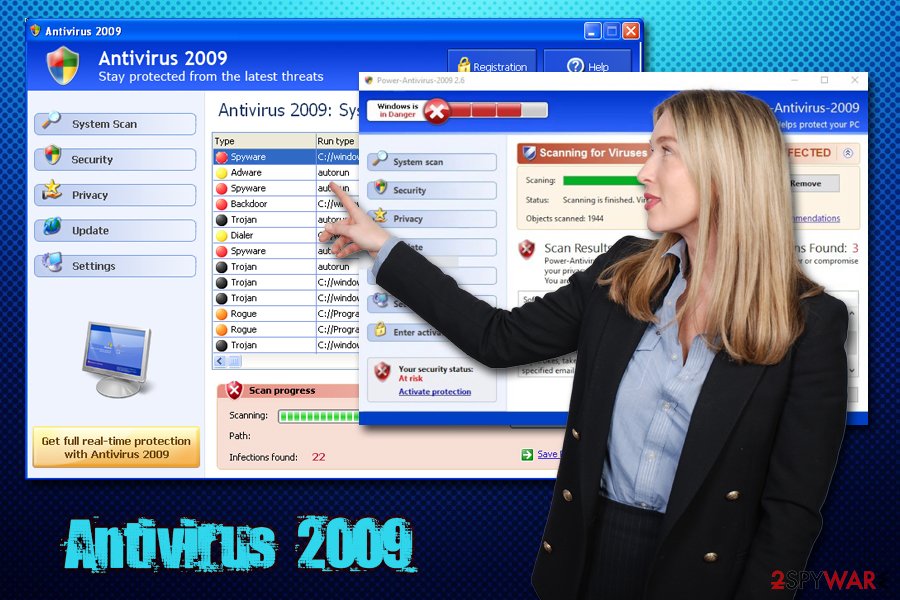
Once TotalSecurity2009 infects a computer, it acts like typical rogue anti-spyware application. It may hijack web browser and interrupt browsing the internet. It imitates system scan and displays falsified security alerts. All the messages loaded by Total Security2009 are dedicated to trick users into purchasing the program. Avoid this trap: Total Security 2009 won’t function as antispyware even if you pay for it.
TotalSecurity 2009 is extremely dangerous for a computer. It starts randomly deleting files approximately 20 hours after the infection. This may leave the system corrupted or non-functional pretty quickly. Remove Total Security 2009 as soon as possible.
Get rid of Total Security 2009
- Manual step-by-step Total Security 2009 removal
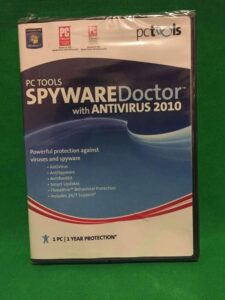
- Automatic easy Total Security 2009 detection with Spyware Doctor
- Anti spyware Software. Spyware Doctor Review.
Total Security 2009 is a Rogue Antispyware software
How to manually remove Total Security 2009
To remove Total Security 2009 spyware you must block Total Security 2009 sites, stop and remove processes, unregister DLL files, search and delete all other Total Security 2009 files and registry utility. Follow the Total Security 2009 detection and removal instructions below.
The most typical software removal method is to remove Total Security 2009 by using “Add or Remove Programs” service. However there may be hidden Total Security 2009 files, running processes and registries in your computer, so Total Security 2009 may recreate all other files after reboot.
Total Security 2009 manual removal instructions
Block Total Security 2009 sites:
explorersecuritysuite.com
harmfullwebsitecheck.comRead more how to block Total Security 2009 sites
Stop and remove Total Security 2009 processes:
10530004.exe
18384534.exe
tsc.exe
Sc2C21UvvM.exeRead more how to kill Total Security 2009 processes
Locate and delete Total Security 2009 registry entries:
HKEY_CURRENT_USER\Software\Total Security 2009
HKEY_LOCAL_MACHINE\SOFTWARE\Microsoft\Windows\CurrentVersion\Uninstall\Total Security 2009
HKEY_LOCAL_MACHINE\Software\Microsoft\Windows\CurrentVersion\Run\10530004
HKEY_CURRENT_USER\Software\1FD92E3F7C34799BFB075C41DA05D1FE
HKEY_CLASSES_ROOT\CLSID\{D263FA6D-84CC-48A8-9AF6-C664362B7A5B}
HKEY_LOCAL_MACHINE\SOFTWARE\Microsoft\Windows\CurrentVersion\Explorer\Browser Helper Objects\{D263FA6D-84CC-48A8-9AF6-C664362B7A5B}
HKEY_CURRENT_USER\Software\Microsoft\Windows\CurrentVersion\Run “1FD92E3F7C34799BFB075C41DA05D1FE”
HKEY_LOCAL_MACHINE\SOFTWARE\Microsoft\Security Center “AntiVirusOverride” = “1?
HKEY_LOCAL_MACHINE\SOFTWARE\Microsoft\Security Center “FirewallOverride” = “1?Read more how to delete Total Security 2009 registry entries
Download RegistryBooster 2010 to scan errors caused by Total Security 2009
Search and unregister Total Security 2009 DLL libraries:
winsource.dllRead more how to unregister Total Security 2009 DLL files
Detect and delete other Total Security 2009 files:
%UserProfile%\Start Menu\Programs\Total Security
C:\Documents and Settings\All Users\Application Data\10530004
%UserProfile%\Start Menu\Programs\Total Security\Total Security 2009.lnk
C:\Documents and Settings\All Users\Application Data\10530004\10530004
C:\Documents and Settings\All Users\Application Data\10530004\10530004.exe
C:\Documents and Settings\All Users\Application Data\10530004\pc10530004ins
%UserProfile%\Desktop\Total Security 2009.lnk
18384534.exe
%Program Files%\TSC
%Program Files%\TSC\tsc.exe
%Program Files%\TSC\Sc2C21UvvM.exe
%WINDOWS%\system32\winsource.dll
%UserProfile%\Application Data\Microsoft\Internet Explorer\Quick Launch\TSC.lnk
%UserProfile%\Desktop\TSC.lnk
%UserProfile%\Start Menu\TSC
%UserProfile%\Start Menu\TSC\Help.lnk
%UserProfile%\Start Menu\TSC\Registration.lnk
%UserProfile%\Start Menu\TSC\TSC.lnk
%Program Files%\Common Files\System\Uninstall
%Program Files%\Common Files\System\Uninstall\Uninstall TSC.lnk
We strongly recommend you to use spyware remover to track Total Security 2009 and automaticaly remove Total Security 2009 processes, registries and files as well as other spyware threats.